Typing every invoice
Supplier, date, net amount, VAT, total… line by line into a spreadsheet. It's slow, and one mistyped number throws the month off.

Photo or PDF. Ella reads the data; what adds up is recorded and she checks anything that doesn't with you.
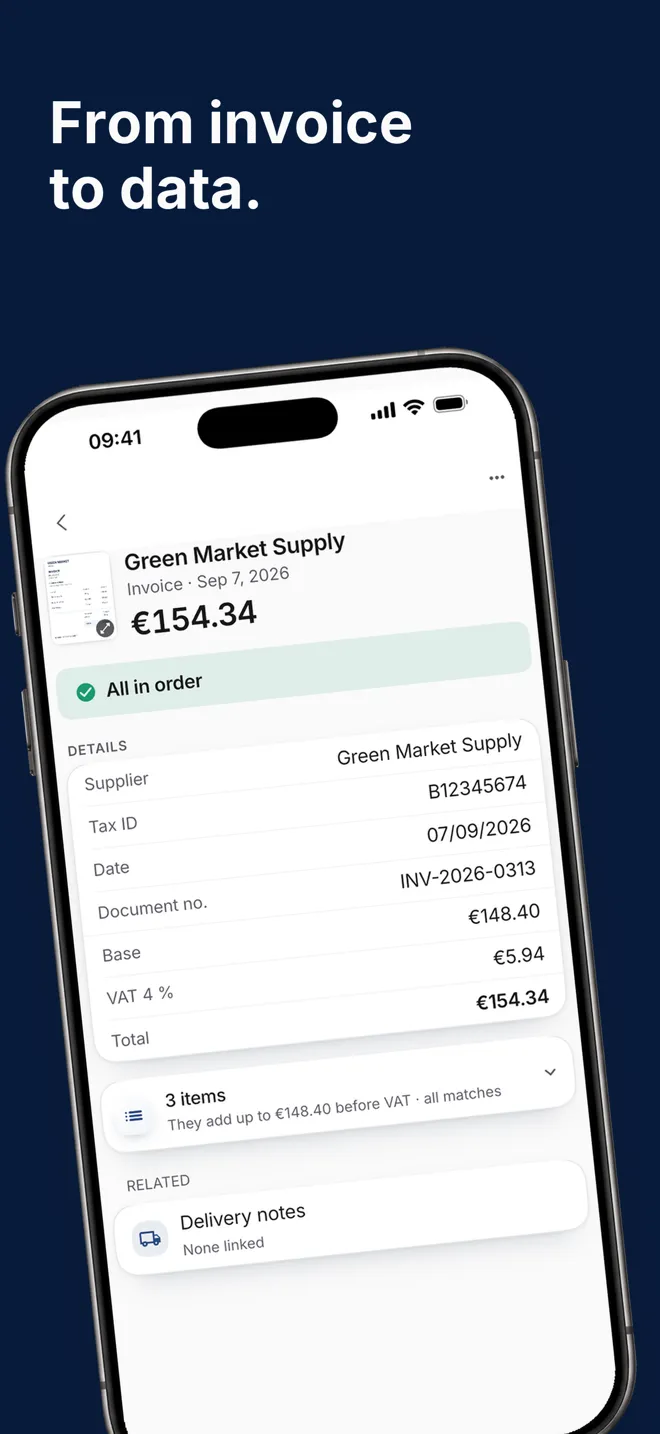
Hostelella scans supplier invoices and delivery notes with AI. Take a photo, scan it or upload the PDF, and Ella reads the supplier, date, net amount, VAT, total and line items. If the data passes every check, the expense is recorded; if not, she tells you what is missing. For bars, restaurants and hotels still typing them in by hand.
A document that has been read moves the rest of the app. The invoice creates the expense you see in your numbers; the delivery note is checked against the order you placed and records the delivery; and the prices from each purchase update the product's page, with its change and price-rise alerts. Invoices are linked to their delivery notes.
AI reading is included in all three plans; what changes is how many documents each one reads per month. Once you reach the limit, you can still record things by hand. Plans start at €9.99 + VAT per venue/month, with a 7-day Ella Pro trial and no card. Hostelella does not replace your accountant; if you want hands-on help with cost control, Ella Director is a separate professional service.
On Home, tap “Upload a document” and choose scan, photo, gallery or file (PDF or image). You can also forward it to the business's inbound email address.
She classifies the document, separates the pieces when one file contains several, and checks amounts, date, tax identity and duplicates.
If everything adds up, you'll find it under Expenses or Sales. If not, it stays in “Papers” with the specific reason — “Date missing”, “It may be a duplicate” — and the action that fixes it.
Supplier, date, net amount, VAT, total… line by line into a spreadsheet. It's slow, and one mistyped number throws the month off.
The supplier delivers daily and invoices once a month. When the invoice arrives, nobody can find the delivery notes to check it.
If the price of oil goes up on the invoice and nobody compares it with the last one, you find out after paying it several times.
From paper to data, with the checks that protect your numbers.
Tax header and line items, from a photo, a scan or a PDF.
Nothing is recorded blindly and nothing is made up to force a match.
Take a photo, scan it or upload the PDF from “Upload a document” on Home. Ella reads it, checks it and, if it passes every check, records the expense; if not, she leaves it in “Papers” with the action that resolves it.
It reads the supplier and tax ID, date, document number, net amount, VAT and total, plus the line items with their quantities and prices. On a delivery note it keeps items and quantities even when no prices are printed.
We can't guarantee it: it depends on the handwriting and the photo. If she can't read it, she says so (“I couldn't read this paper”) and lets you retake the capture or type the details in by hand; she never makes up amounts to force a match.
Nothing is recorded blindly. If the reading is doubtful on the data that moves money — amounts, date, currency or tax identity — the document waits for review with the specific reason. You can fix the details against the original, even after it has been recorded, and the expense is updated.
Yes. The owner or an admin switches on the business's inbound email address, and you forward invoices there or ask suppliers to send them. It accepts PDF, JPG, PNG and WEBP, and anything that arrives by email always waits for someone to confirm it before it is recorded.
Hostelella does not replace your accountant. Each document keeps the original alongside the data that was read, so you can find it when they ask for it. An invoice export prepared for accountants is not available yet.
Upload your first document and see what Ella reads. The trial runs for 7 days on Ella Pro, free and with no card; then choose a plan, from €9.99 + VAT per venue/month.
No card · One trial sign-up per user and payer

Sign in from your browser or download the app for iPhone and Android.