Sheets that go missing
The paper sheet gets wet, misplaced or filled in all at once on Friday. When you need it, it's missing or unreliable.

Staff clock in on their own phone or a shared tablet. You see the hours and export them.
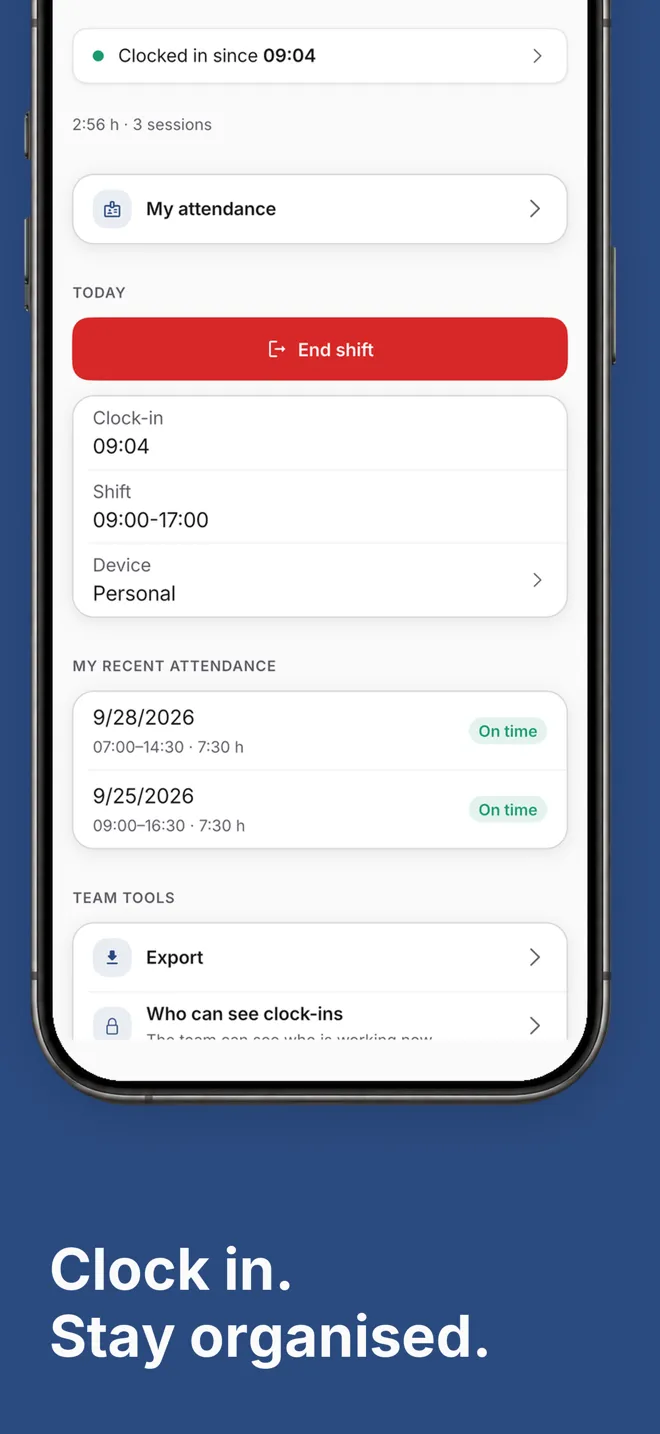
Hostelella's time clock is staff time tracking built for bars, restaurants and hotels. Each person clocks in and out on their phone or on a shared tablet at the venue, and whoever manages the team sees the hours for each working day and exports them. It replaces the paper sign-in sheet and the spreadsheet.
It works with the rest of the app. Each session is compared with the planned shift on the rota, Ella privately reminds people of a missing clock-in or clock-out, and the team chat shows who is working right now. Managers can also ask Ella how many hours someone has worked this week.
Working-time rules vary from country to country: Hostelella helps you keep the record, but it does not give legal advice. The time clock is included in all three plans, from €9.99 + VAT per venue/month, and you can try it for 7 days on Ella Pro with no card. If you would rather hand over team organisation, Ella Director is a separate professional service.
On arrival, each person taps “Start shift” on Home or in “Attendance”. If the business turns on location-based clock-in, they need to be within the venue's radius.
When they finish, they tap “End shift”. If someone forgets, Ella reminds them privately and, if it stays unresolved, lets their manager know.
In “Attendance” you choose the period and export the hours as a CSV for payroll or your accountant.
The paper sheet gets wet, misplaced or filled in all at once on Friday. When you need it, it's missing or unreliable.
A message in the group is not a record: no clock-out, no total hours, and the whole team sees everyone's business.
Adding up start and end times in a spreadsheet for payroll is slow, and mistakes slip in.
Clocking in takes one tap. So does reviewing.
On each person's phone or on a device that stays at the venue.
You see what is happening without chasing anyone or exposing anyone.
That depends on the labour rules where your business operates. Hostelella helps you keep a daily record of each person's start and end times and export it, but it is not legal advice: check your obligations with your accountant or employment adviser.
Yes. Each person taps “Start shift” and “End shift” in the app on iPhone, Android or a web browser. If the business turns on location-based clock-in, the app checks at the moment of clocking in that they are within the venue's radius.
Ella reminds them privately: 5 and 15 minutes after a missed clock-in, and 15 and 60 minutes after an open clock-out. If the session stays open, she alerts their manager and, after a safety margin, closes it with an estimated time flagged as “Automatic clock-out”. Those hours don't count until the person or a manager confirms or corrects them.
No. In kiosk mode you leave a tablet or phone that belongs to the business at the venue and each person clocks in with a personal 4 to 8 digit code. Each person creates their own code and needs a verified email address.
Yes. In “Attendance” you choose the period and export a CSV of hours worked, which you can open in a spreadsheet or send to your accountant. Hostelella does not run payroll or replace your accountant.
Each person sees their own; those who manage the team see and review the records of the people they are responsible for. Everyone else only sees in the chat who is working right now, with no hours or issues.
Create your account, invite your team and try the time clock for 7 days on Ella Pro, free and with no card. Then choose a plan, from €9.99 + VAT per venue/month.
No card · One trial sign-up per user and payer

Sign in from your browser or download the app for iPhone and Android.